
SMS Consent
Messaging Lists in eAdventist uses "Text to Join" for both Members and Guests to consent to receiving SMS messages.
Text to Join as a Member
Keyword: JOIN.
The keyword is displayed on a sign in the entrance of the church where members can see the keyword and text it to the Toll-free Number. Once the member texts the keyword, they are provided a welcome message explaining that they will receive SMS messages and may unsubscribe at any time.
The keyword is also printed in the church's weekly bulletin, which is given to members that attend.
The keyword is also displayed on a screen in the church during the weekly service.
The keyword is displayed or printed like the following:
Text "JOIN" to 833-123-4567 to receive SMS notifications for members.
The Member consents by sending "JOIN" to the church's SMS number.
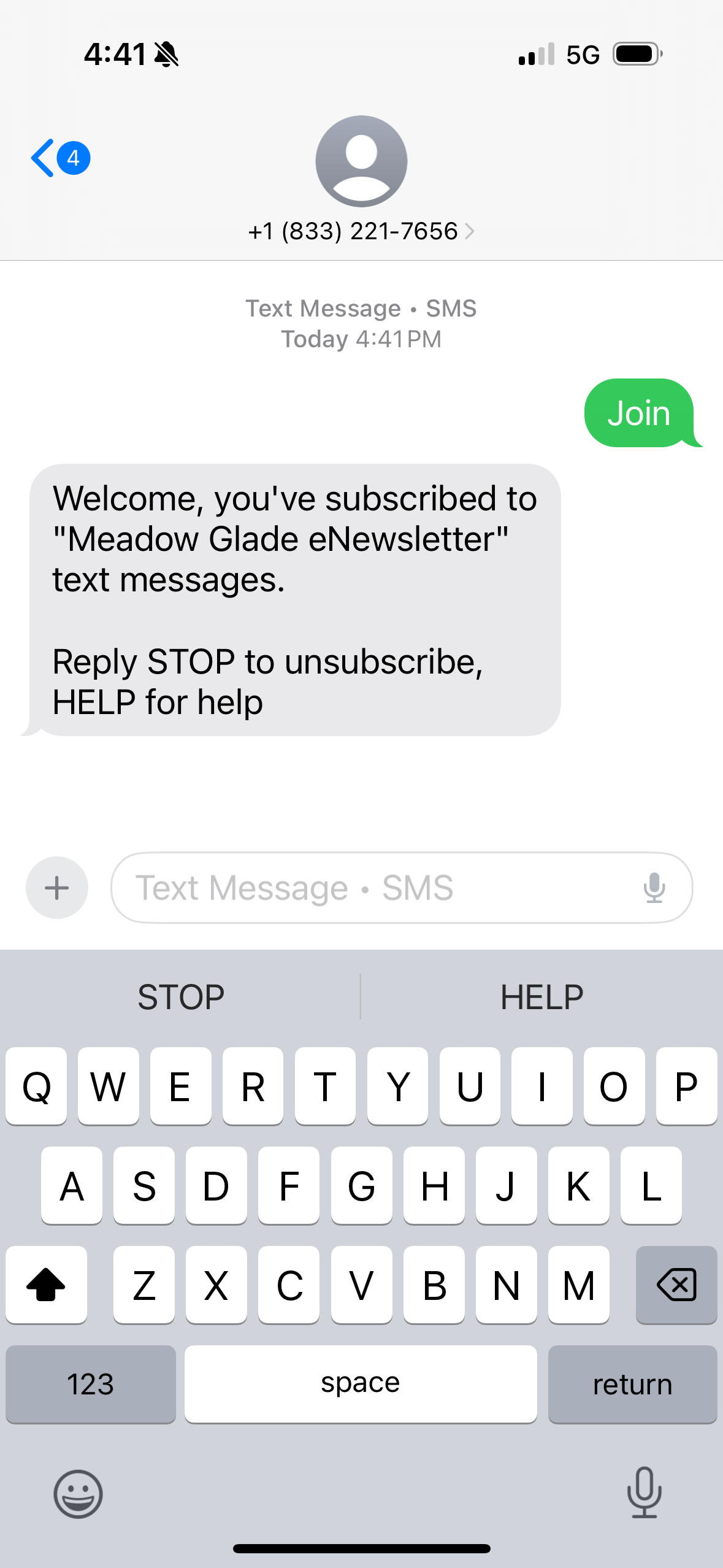
NOTE: Text to Join as a Member is "closed". The consent is saved, but no text messages are sent until a Member record with matching phone number is found or created.
Text to Join as a Guest
Keyword: GUEST.
The keyword is displayed on a sign in the entrance of the church where guests can see the keyword and text it to the Toll-free Number. Once the member texts the keyword, they are provided a welcome message explaining that they will receive SMS messages and may unsubscribe at any time.
The keyword is also printed in the church's weekly bulletin, which is given to guests that attend.
The keyword is also displayed on a screen in the church during the weekly service.
The keyword is displayed or printed like the following:
Text "GUEST" to 833-123-4567 to receive SMS notifications for guests.
The Guest consents by sending "GUEST" to the church's SMS number.

NOTE: Text to Join as a Guest is "open". If no Guest record is found with matching phone, an anonymous Guest record is created.
When an anonymous Guest record is created, a link is sent that can be used for the Guest to provide their Name and Email.

